I finish a match with a panoramic recording. Getting that video onto PLAYGRND means finding the goals, keeping the attack in frame and putting the right clip next to each event.
This is still a video pilot. ChatGPT helps me run the processing on a Mac, then I watch the output before approving an upload.
After the match
I manually put the recording on Drive, then give ChatGPT that link and the PLAYGRND match link. The match page supplies the teams, lineups and goals. The recording supplies the actual moments on video.
-
I record the match
MeI set up Ballr and record the panorama with the sound from the pitch.
Ballr · 6976 × 2160 · 30 FPS
-
I put the original on Drive
MeAfter the match, I manually transfer the recording to Google Drive. The original stays untouched.
Google Drive · manual upload
-
I send ChatGPT two links
MeI send the Drive recording and the match link from PLAYGRND. I add which videos I want and anything to watch out for in the edit.
Drive recording + PLAYGRND match
-
ChatGPT prepares the edit
ChatGPT + local toolsIt downloads the source, reads the match details and runs the analysis. The ball detector, scoreboard changes and audio help narrow down the goal times. The camera plan keeps the developing play in view.
Core ML / YOLO11 · Python · NumPy · SciPy · cached match data
-
Rendering and checking the videos
Local tools + ChatGPTThe scripts add the graphics and make the match video, highlights and goal clips. ffprobe and FFmpeg check the files. ChatGPT inspects sampled frames and the timing reports, then corrects what those checks expose.
Swift · Metal · VideoToolbox · Pillow · FFmpeg / libx264 · ffprobe
ChatGPT sends timing or framing corrections back to the camera plan.
-
I get a local link to watch
MeI watch the encoded videos in a player on the working machine's LAN. If a cut, timestamp or camera move needs work, I send it back to ChatGPT and watch the next version.
Local HTTP player · seeking through the video
My feedback goes back for another render and a new local preview.
-
I approve the files and the upload
Me, then ChatGPTOnce I approve the exact files and ask for publication, ChatGPT uses the available APIs or browser to upload them. It checks the resulting links and attaches them to the match and its goals.
YouTube · Drive · selected social clips · PLAYGRND event IDs
The first review happens while the job is running. ChatGPT looks at sampled frames and the check results. The computer-vision models and rendering scripts do the frame processing locally. A passed file check still leaves the moving-video review to me.
I get a local link and watch the result in a player. If something needs changing, I send the comment back, ChatGPT updates the edit and I watch the new version. The player runs on the working machine's LAN, so I need a network path to that machine to open it.
The model is prepared separately with PyTorch, Ultralytics and coremltools, then reused by the Core ML worker. OpenCV and FilterPy are other tracking adapters in the research code. Each job records which path it used.
A real example: Bajamonti 2:4 Ponediljak 10
The example is Bajamonti–Ponediljak 10, played on 9 November 2026 at Legendarni Tereni, in round nine of Serie B2. The match page connects six goal events to their clips and provides three recording versions:
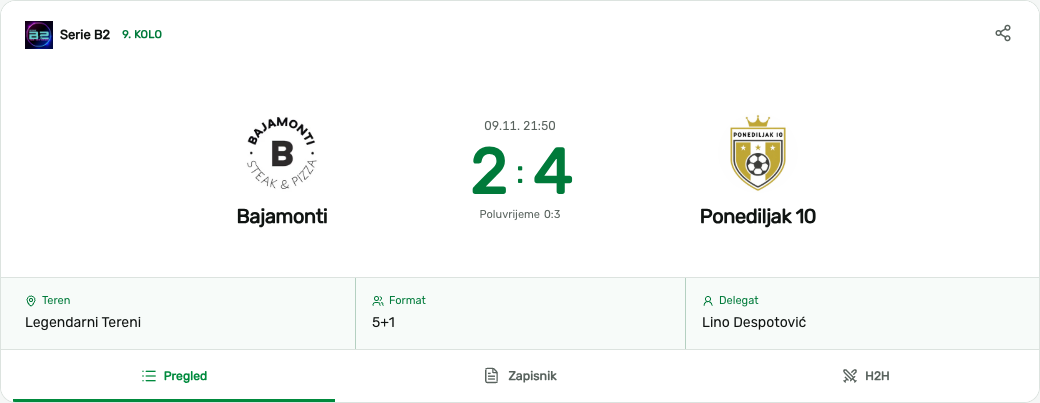
Public match page captured on 10 November 2026. The match record supplies the teams, competition, venue, lineups and event identities.
Capture: retain the panorama
Our current field setup uses a Ballr camera, a separately purchased Walimex pro AIR Jumbo 600 stand, and a SmallRig 3757 clamp and arm. The stand extends to 6 m. Usable height depends on the venue and safe mounting conditions. The pilot experience described here concerns six-a-side football.
Ballr specifies dual wide-angle 4K cameras, a 6976 × 2160 panorama and 30 FPS. Our example source was a joined HEVC panorama with AAC audio at that resolution, lasting approximately 56 minutes 38 seconds. We retain that original without trimming or re-encoding. The follow-cam video is a separate derivative.
Panoramic capture matters because a later camera decision can be changed. A narrow exported view has already discarded the space outside its frame. Ballr also supplies its own AI-follow view. The custom processing described below begins with the panorama and does not claim to describe Ballr's internal algorithm.
What each library does
Python coordinates the work, while the native workers are written in Swift. The libraries below have different jobs. The model-export tools run when preparing a checkpoint. The local workers reuse that checkpoint for a match.
| Tool | Its job in this workflow |
|---|---|
| Python | Reads the job JSON, starts the workers, saves their results and decides which cached work can be reused. The per-match scripts also prepare graphics, edit intervals and delivery files. |
| NumPy | Holds the timestamps, detections and camera coordinates as arrays. It handles interpolation and the vectors and rotation matrices used by the camera profile. |
| SciPy | gaussian_filter1d smooths the camera targets. PchipInterpolator fills between reviewed framing points. Median filters help stabilize scoreboard-state proposals. These calculations turn sparse samples into a camera path. |
| PyTorch | Loads the original .pt detector checkpoint during model preparation and earlier experiments. The native Core ML worker uses the exported model afterwards. |
| Ultralytics | Supplies the YOLO model interface and export path. The example uses the existing Soccana YOLO11 checkpoint. A match job reuses it without training a new detector. |
| coremltools | Converts the model into an Apple .mlpackage for the native inference worker. This is a model-format step done before processing the match. |
| Core ML | Runs that exported detector locally on sampled images. It returns object candidates and scores. The tracker still has to decide which candidate belongs to the active ball. |
| AVFoundation | Opens the source video and gives the native worker decoded frames with their presentation timestamps. Those timestamps keep detections tied to the original recording. |
| Core Video | Provides the frame buffers used between the Apple media, Metal and Core ML components. The native path can work with those buffers without saving every frame as a JPEG. |
| Metal | Prepares image tiles for detection, then applies the camera projection and composites graphics during rendering. The camera plan tells it where to look for each output frame. |
| VideoToolbox | Provides the Mac hardware codec path used through the media stack and FFmpeg. Encoding and decoding belong here. The camera geometry is calculated separately. |
| OpenCV | Loads cropped images for the source-specific scoreboard classifier. Other research adapters use its Lucas–Kanade optical flow to check short tracking gaps. This scoreboard workflow compares digit shapes, rather than using a general OCR service. |
| FilterPy | Supplies Kalman/RTS filtering and smoothing in supporting tracking experiments. The Bajamonti camera script used NumPy/SciPy interpolation and reviewed guides, so FilterPy was not a mandatory stage of that render. |
| Pillow | Draws text, crests and score states into the approved PNG templates. Those images become overlay textures and covers. It reuses the template for each match. |
| FFmpeg | Extracts review samples, processes audio, applies the selected denoise/color filters, joins compatible segments and muxes the final file. It also decodes outputs during QA. |
| libx264 | The software H.264 encoder used for the final HQ goal clips and highlights in this example, with the selected preset and CRF. The full match used a separate native hardware render path. |
| ffprobe | Reports codec, dimensions, frame rate, duration, frame count and audio timing. The scripts compare those values with the edit plan before a file is ready for review. |
The source references for the library behavior are Ultralytics' Core ML export guide, SciPy's Gaussian filter, PCHIP interpolation and Pillow's drawing API. The roles in the table come from the scripts used for this job.
How I start a job
I start in chat by supplying the recording and match links. ChatGPT retrieves the source and writes the working files. The local programs receive file paths and JSON, so the Drive URL is resolved before they run.
For Bajamonti, the work was still split across scripts kept with that match. analyze_stage1.py prepared the audio analysis, review images and leveling candidates. analyze_tracking.py called the native detector. classify_board.py proposed scoreboard transitions. build_camera.py combined detections, the mount profile and inspected framing guides into camera-plan.json.
The native analyzer's interface is short. With the filenames shortened, the call used for the complete recording looks like this:
./native-analyze panorama.mp4 soccana-yolo11.mlpackage \
detections.jsonl 0 3398.444056 3| Argument | Meaning in this call |
|---|---|
panorama.mp4 | The local original recording. |
soccana-yolo11.mlpackage | The prepared detector checkpoint. |
detections.jsonl | Output: one JSON record per analyzed source sample. |
0 | Start at source second zero. |
3398.444056 | Requested source duration, in seconds, from the probe receipt. |
3 | Sample about three source frames per second for analysis. The output video still has its own 30 FPS timeline. |
The worker also accepts an optional calibration JSON after those arguments. It can restrict analysis to a configured region. The model and native binaries must already exist locally. This call does not download or train a model.
The renderer has a separate interface:
./native-metal-render panorama.mp4 camera-plan.json followcam-silent.mp4camera-plan.json contains the output size, frame rate and codec, plus the frame-by-frame view: yaw, pitch and field of view. It also holds the lens mapping and timed overlay paths. The worker renders the image. FFmpeg adds the matching source audio and assembles the delivery file. In the match-specific job, render_package.py full rendered the full match in bounded sections, and render_clips.py prepared the short outputs. resume_full.py was the recovery path that preserved an already encoded prefix after an interrupted full render.
Those scripts read files beside them, including source-receipt.json, facts.json, timing.json and the camera plan. Most of their settings are in those files rather than command-line flags. final_qc.py checks the outputs, and serve_review.py serves the player and videos on the configured LAN address and port. It supports HTTP byte ranges so I can seek through a long match.
The reusable command in the repo
There is also a parameterized CLI, playgrnd-video, registered by the Python package. It puts the recurring settings in one job JSON. The Bajamonti delivery above still used its own scripts. This is the runner we can use as more of those steps become reusable.
playgrnd-video job init match.json \
  --source panorama.mp4 \
  --workdir work \
  --profile camera-profile.json \
  --goal-mode timestamps \
  --full landscape \
  --highlights landscape \
  --goals landscape

playgrnd-video job plan match.json
playgrnd-video job run match.json --background
playgrnd-video job status match.json
init writes the configuration. Before run, the job needs the match facts, goal anchors and paths to the analyzer, checkpoint and renderer. plan shows the intended work without decoding the video. --background returns a PID and log path. status reads progress.
| Setting | What I supply |
|---|---|
--source, --workdir, --profile | The local recording, working directory and profile for this camera position. |
--goal-mode | timestamps uses supplied source anchors. minutes starts with report minutes and clock anchors. auto produces candidates for review. |
--full, --highlights, --goals | Which products and orientations to render. Each accepts none, landscape, vertical or both. |
analysis.fps and engine.* in the JSON | Analysis sampling rate and paths to the existing native workers and model. |
source.keep_intervals, goals.events, render.* | Which parts of the source to keep, the goal records, output FPS and encoding settings. |
Analysis FPS and render FPS are separate. A report minute is also separate from a source timestamp. Those distinctions are part of the configuration because an edit can preserve halftime, cut a stoppage or change a clip's lead-in.
The runner performs local computation without LLM calls. It writes progress and review files. Uploads and changes to PLAYGRND happen later, after I approve the output and authorize publication. Reliable automatic goal confirmation and venue calibration still need work.
Follow cam: detection is only the first step
A detector emits candidate bounding boxes. It does not establish which small white object is the active ball, whether a player has possession or whether a goal occurred.
For this example, the native worker sampled approximately three frames per second for analysis while the final render used a 30 FPS timeline. Overlapping image tiles preserve more small-ball detail than shrinking the whole panorama into one detector input. Candidate observations feed an active-ball tracker. Player activity provides wider contextual framing when ball evidence is weak.
The camera planner turns those targets into a continuous pan, tilt and field of view. It uses lookahead, interpolation, smoothing and motion limits. In this job, the initial target interpolation looked about 0.65 seconds ahead. Reviewed scene-framing guides corrected selected actions. Those guides are editorial camera intentions, not recovered ball measurements.
The composition rule is practical: preserve the developing attack and, around a shot, keep the ball and receiving goal together where possible. Widen before a fast transition. A known finish timestamp must not pull the camera toward an empty net several seconds early. Uncertain gaps need a broader view or correction.
Geometry is a separate problem. The job fitted a camera-level rotation from source imagery and used a rectilinear output projection with a source-specific lens profile. We check goalposts and player proportions across the left, centre and right of the picture. A nominal 180° field of view alone does not prove an exact lens mapping or a calibrated metric pitch.
The detection-stage receipt for this run records 10,207 sampled frames in approximately 1,184 seconds, against a source duration of approximately 3,398 seconds. That is about 2.87× source duration per processing second for that stage. It excludes the rest of the workflow and says nothing by itself about active-ball accuracy or live readiness.
Finding key timestamps without pretending the match clock is video time
The example used a particularly useful cue: the physical scoreboard was visible in the panorama. A script cropped that region. Another compared digit shapes with templates sampled from the same recording, then used a median filter to propose stable score states and transitions. This was source-specific image classification, not a general OCR system that can read any scoreboard.
A score transition narrows the search window. It can occur after the actual finish. The assistant then inspected denser source frames around the action, ball/finish evidence and centre restart, with audio activity as corroboration. Kickoff and the end of play received their own anchors. Sparse frames and sound cues still do not replace the operator's final moving-playback approval.
The first goal makes the time mapping concrete:
| Coordinate | First Borna Šunjić goal |
|---|---|
| Official report | 4′, giving Ponediljak 10 a 0:1 lead. |
| Original source anchor | 774.267 s, about 12:54.267 into the panorama. |
| Full-match output anchor | 235.267 s, about 3:55.267, after starting the selected source interval at 539 s. |
| Highlights output anchor | About 22.267 s: a 7 s opening card followed by the first clip starting at source second 759. |
The local anchor record carries a ±0.2 s estimate. That is an annotation uncertainty, not a measured system-wide accuracy claim. Report minutes identify the event in the football record. They cannot generate exact video timestamps, especially around halftime and stoppages.
Montage, graphics and encoding
The match facts and crests are fetched and cached once. Pillow fills the approved graphics template. No new graphic design or language-model call is required for each team name or score update.
All derivatives reuse the selected camera revision. Source-time overlay intervals update the score at the reviewed finish. In this example the scorer banner appears 0.7 seconds later. The opening card avoids revealing the final result. The closing card uses the verified report.
The full match is assembled from bounded render sections. The short outputs reuse selected source intervals with the buildup and reaction preserved. For this example, the six goal clips were 20–26 seconds long. The highlights included an opening and closing card and lasted about 2:40. The full match lasted about 47:24.5, including halftime.
Rendering samples the original panorama rather than an analysis proxy. Metal applies the projection and composites graphics. This job used a 25 Mb/s native full-match render. Short masters used 80 Mb/s before FFmpeg cleanup and a libx264 medium/CRF 14 final encode. A mild hqdn3d denoise and contrast/saturation adjustment was compared on moving footage. Those are settings for this night source, not universal quality recommendations. Original field audio was retained.
Compatible encoded clips are concatenated by packet copy, avoiding another complete lossy encode. Edit maps record source intervals and final output starts. Technical QA checks dimensions, frame cadence, durations, audio alignment and decoding. Visual review checks the actual action, goal geometry and overlay placement.
Publication and connection to the match
Publication remains a separate, approved stage. Helpers prepare files, covers, titles, descriptions and timestamps. Platform APIs are used where the workflow supports them. Browser steps are still part of the current pilot, including some uploads and visibility checks. It would be inaccurate to describe this as a fully unattended publisher.
After upload, we retain provider IDs and read back the result. An accepted upload, a processed video and public playback are separate states.
For this match, the PLAYGRND integration attached three records in match_media, tagged panorama, full_match and highlights. Each existing goal event received its own video_url. The association uses match and event IDs, with scorer, report minute and score progression checked before writing. It does not identify players by their faces.
The bounded update was rehearsed locally, applied with state checks and an inverse operation, then verified on the public page. No score or lineup had to change to attach video. Tapping an event now opens that goal. Opening the video section exposes the three whole-match products.
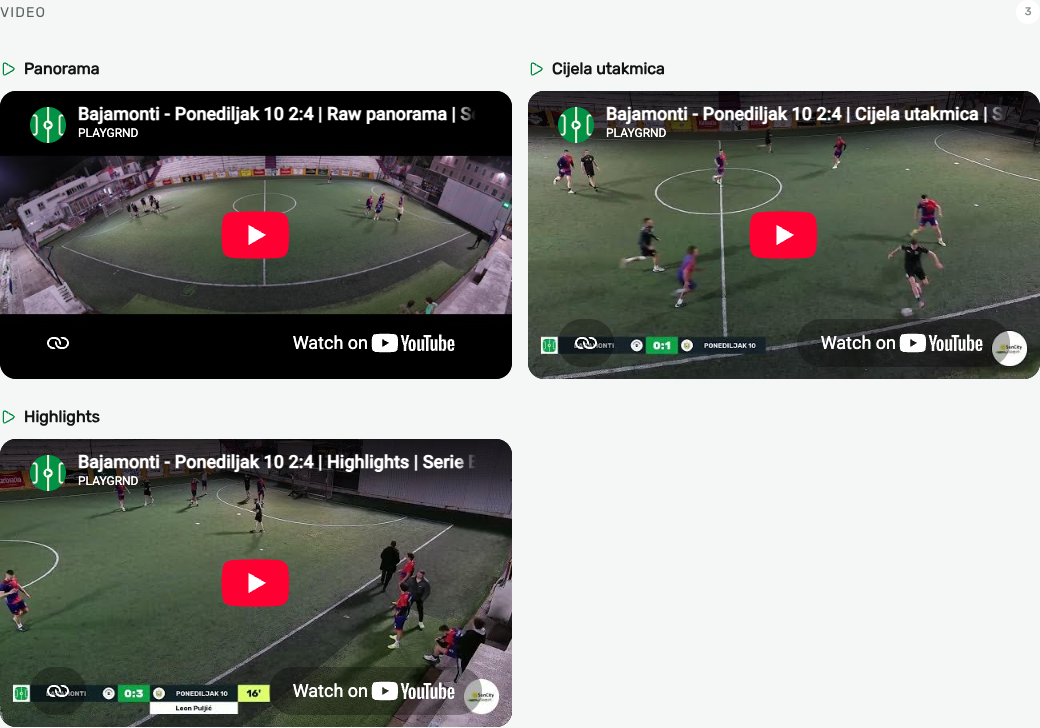
The screenshot links to the original public match page. Videos are opened by the reader. This article does not load a third-party player automatically.
What is automated, what is reviewed, and what comes next
The scripts handle sampling, candidate detection and the render. ChatGPT helps me inspect the results and prepare corrections. I set up the camera, watch the finished files and decide what gets published.
Next we want fewer source-specific scripts: reusable mount profiles, a compact correction interface, labelled evaluation on held-out matches and dependable incremental rerenders. We need to measure complete-action visibility, timestamp error and correction time, alongside sustained end-to-end processing speed. Player identity, possession and other statistics require additional evidence and validation.
Delayed live output is a later research direction. Ballr documents custom RTMP streaming, but that does not establish access to the full live panorama for our renderer. A delay buffer also does not fix a pipeline that processes slower than capture. The workflow described here is postproduction.
Rights and scope of this pilot note
This article documents engineering work. It does not distribute model weights, datasets or a software package. The Ultralytics licence options, individual checkpoints, training-data terms and the exact FFmpeg build require separate checks for the intended use. A permissive wrapper or a Core ML conversion does not settle those rights. Calling work a pilot does not exempt it from licence obligations, and this note does not assert that every experimental component is cleared for every deployment.
Recording and republication also require a defined purpose, appropriate legal basis, participant information and suitable arrangements with the organiser and venue. Public availability is not a blanket right to reuse footage or music. The EDPB guidance on video devices is a starting reference. The arrangements depend on the actual recording and publication. Local analysis alone does not make a workflow GDPR-compliant.
Ballr and the other product names identify the tools discussed. This note does not announce a partnership or endorsement. Camera specifications were checked on 10 November 2026. The published example and the local job receipts support the implementation details above.